Money out
Bills
Enter supplier bills, check them, and approve them for payment.
Where every bill is
The board shows every bill by where it is: to check, approved to pay, sent to the bank, overdue, and paid in the last 30 days. The count on the menu is bills to check plus those overdue.
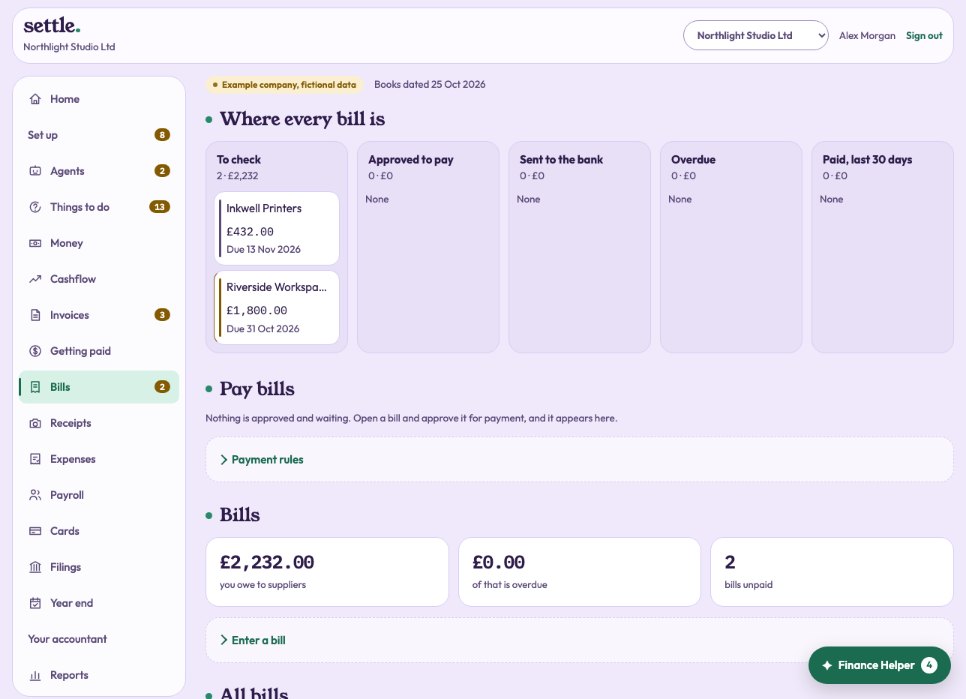
Entering a bill
Under Enter a bill: the supplier, their reference, the date, when it is due, and a line for each thing with its category and VAT. Press Save bill. Bills forwarded to your own address, found in your inbox or added as receipts can be entered with Enter as a bill to pay, with the supplier, amount, VAT and due date filled in from the document. The top of Bills shows your forwarding address to copy.
Approving it
Open the bill. Under Paying it, choose a date to pay on if you want one, and press Approve for payment. Only the company’s owner can approve a bill. Put on hold stops it being paid.
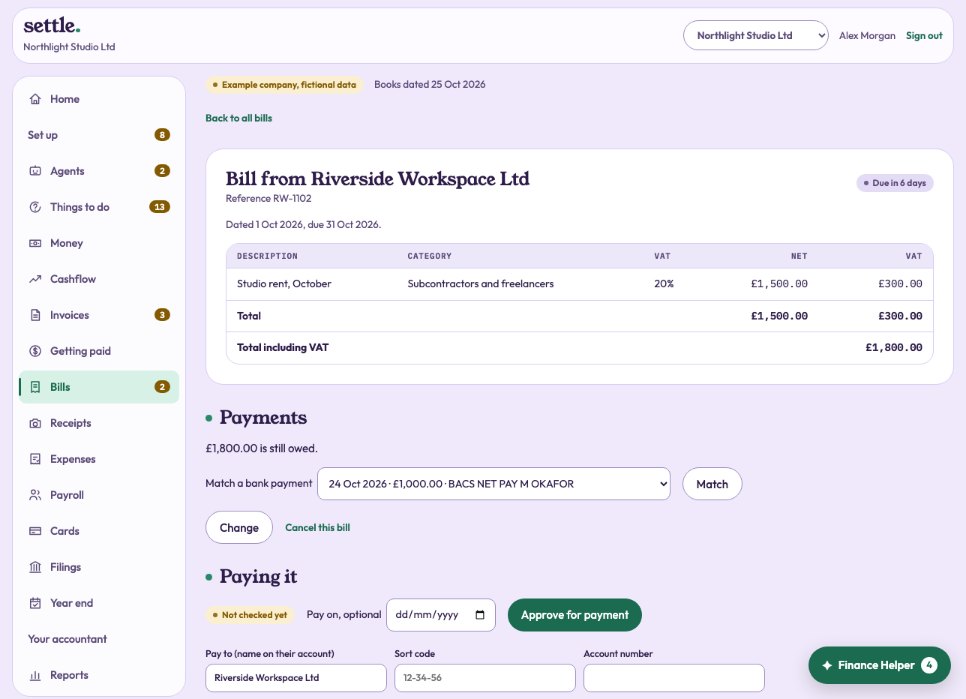
Supplier bank details
Save the name on their account, the sort code and the account number on the bill. If a supplier’s details change, phone them on a number you already have to check: changed details are a common fraud. Every change is recorded, and the Payables agent warns you about recent ones.
Still stuck? Ask in the Finance Helper inside the app, or contact your accountant.