Every day
Chart of accounts
Your categories: move payees by dragging, merge, rename, set the usual VAT.
What it is
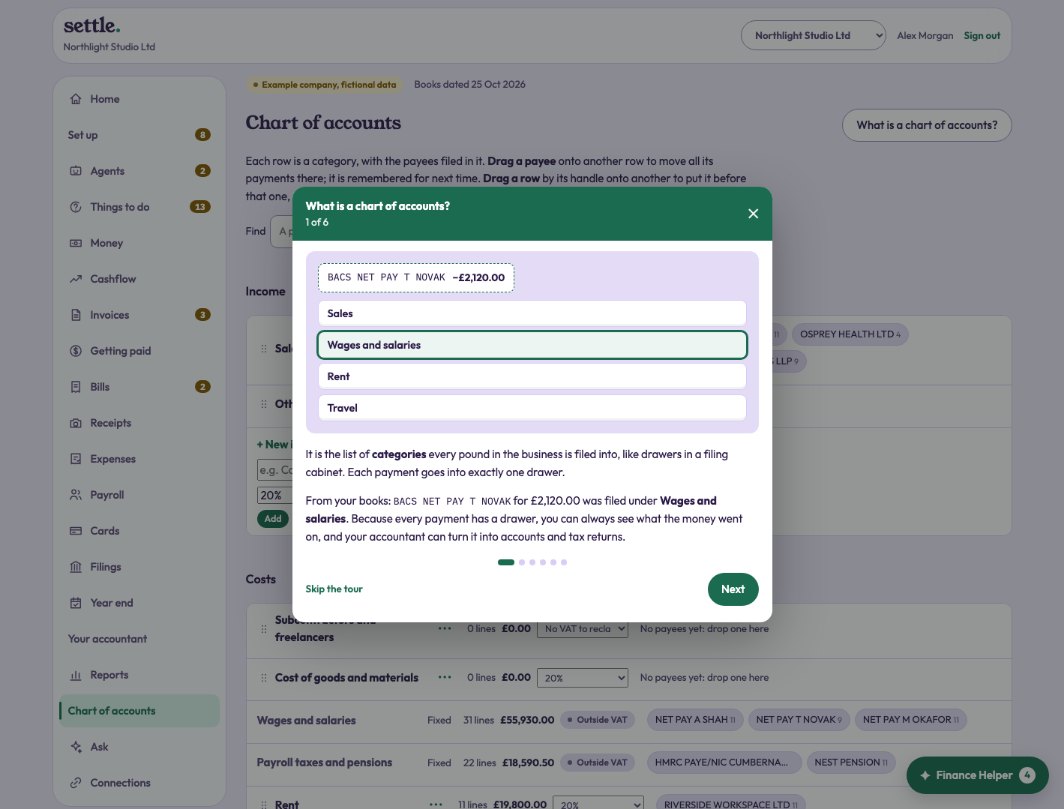
The list of categories every pound is filed into. Press “What is a chart of accounts?” for a six-card tour using your own figures.
Moving things around
Each row is a category with the payees filed in it. Drag a payee onto another row to move all its payments there; it is remembered, and you can undo it. Drag a row by its handle onto another to put it first or merge the two. On a phone, tap a payee or a row’s ⋯ instead.
Renaming, hiding, adding
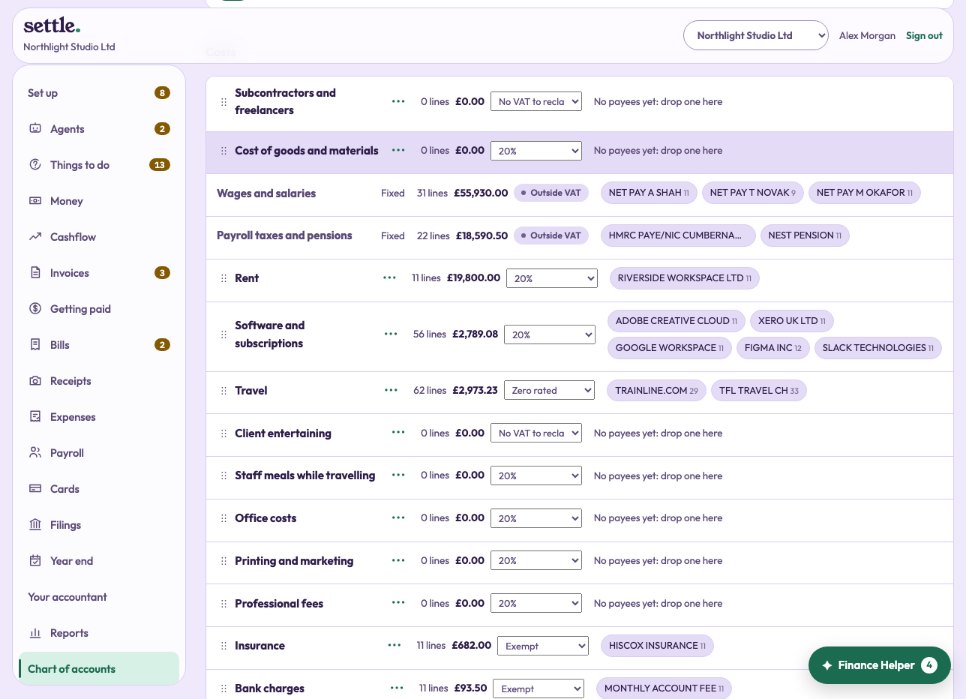
Income and cost categories, the standard ones included, can be renamed, given a different usual VAT, or hidden. Lines keep their category, so a rename shows everywhere at once. Add your own with New category. Find shows which row a payee is filed in.
Fixed categories
Bank, VAT, payroll, the director’s loan and a few others are filed into by the system itself, so they are marked Fixed.
Still stuck? Ask in the Finance Helper inside the app, or contact your accountant.