Connecting
Your forwarding address
Forward any bill or receipt to your company’s own email address, and it takes it from there.
Making your address
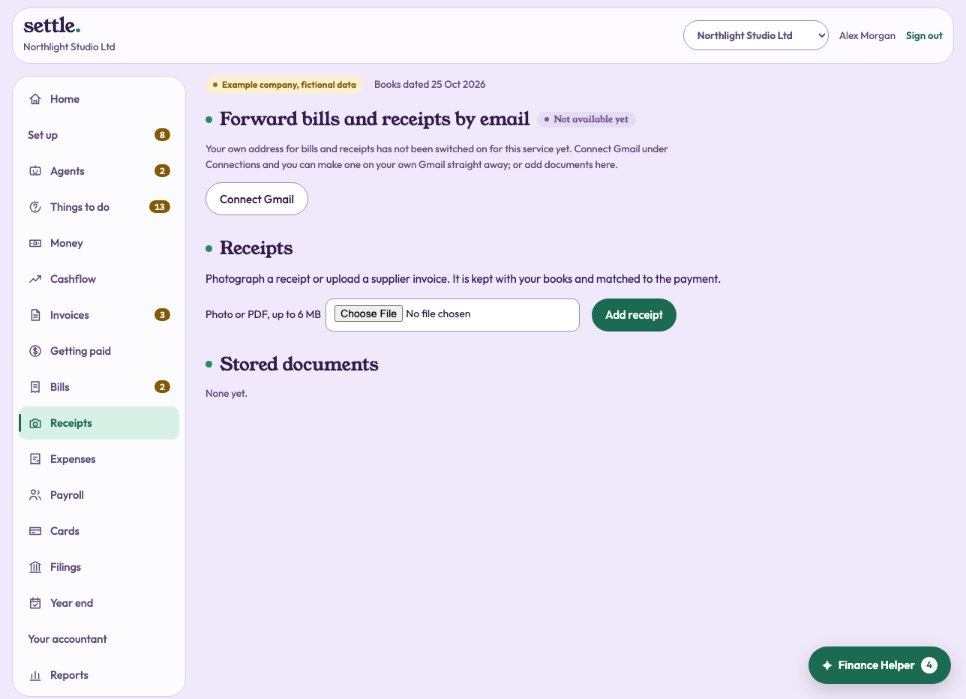
Under Receipts, choose how it starts (your company’s name is suggested) and press Create my address. A few random letters are added to the end so nobody can guess it, for example northlight-studio-c9boi@ and then the service’s own domain. Copy it with one press. Only the owner or your accountant can make one.
Using it
Forward any bill or receipt to it from any email account, or give it to suppliers as the address for their invoices. A PDF or photo attached to the email is taken; so is an e-receipt written in the email itself, such as a taxi or online order receipt. Small pictures such as logos are left out, and the same document sent twice is kept once.
What happens next
Each document is read for you (where Claude is connected). A receipt for a payment already in the bank is attached to that payment. An invoice for a bill you already entered is attached to that bill. Anything else waits under Receipts, marked Forwarded, ready to enter as a bill to pay with its due date filled in, and the Finance Helper tells you. When its payment reaches the bank later, it is attached by itself. Nothing is added to your books until someone presses the button.
A reply, for your team
If you forward from an email address that belongs to someone on the team, you get a short reply saying what was found and where it went. Suppliers and anyone else get no reply.
Changing or stopping it
Make a new address if the old one gets passed around too much: the old one stops working at once. Switch it off to stop taking email altogether. Documents already received stay.
On your own Gmail
If Gmail is connected under Connections, the address can be made on it: your Gmail name, a plus sign, then the name you chose, for example yourname+northlight-studio-c9boi@gmail.com. Gmail delivers it to your inbox as usual, and Evenly picks it up from there every hour; press Check now to fetch it straight away.
Is it switched on?
Addresses of their own (not on your Gmail) need an email service for incoming mail to be set up for this service. Until it is, use your Gmail, or upload documents under Receipts.
Still stuck? Ask in the Finance Helper inside the app, or contact your accountant.