Every day
Money: every transaction
See every bank line, filter them, change any one, and open a line’s details.
All transactions
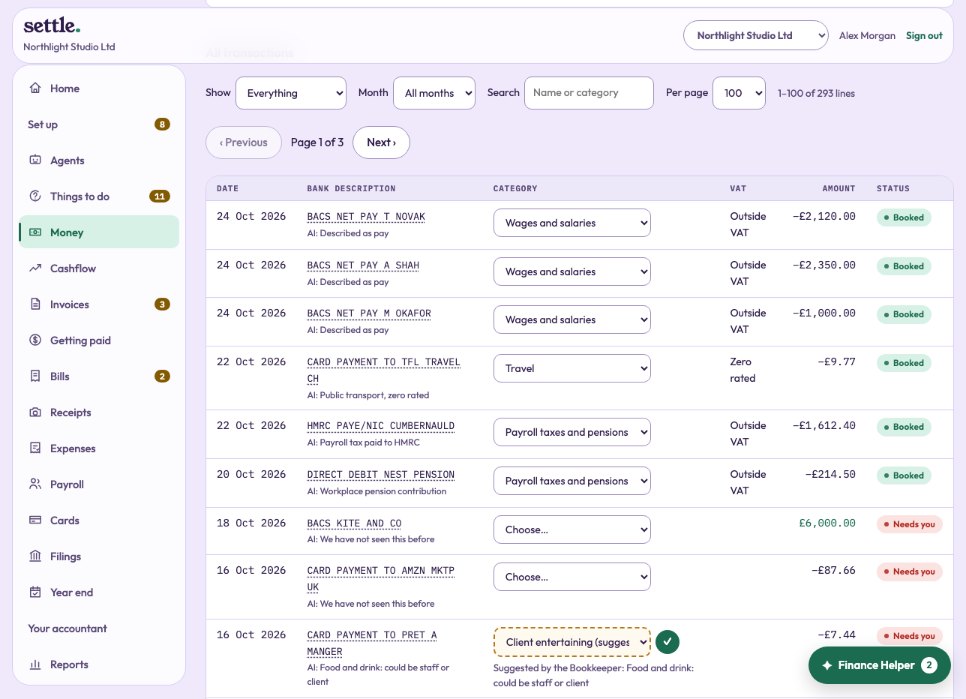
Money shows every line from your bank, newest first, a page at a time. Filter by status (needs you, with your accountant, booked), by month, by bank account, or search by name or category.
Changing a line
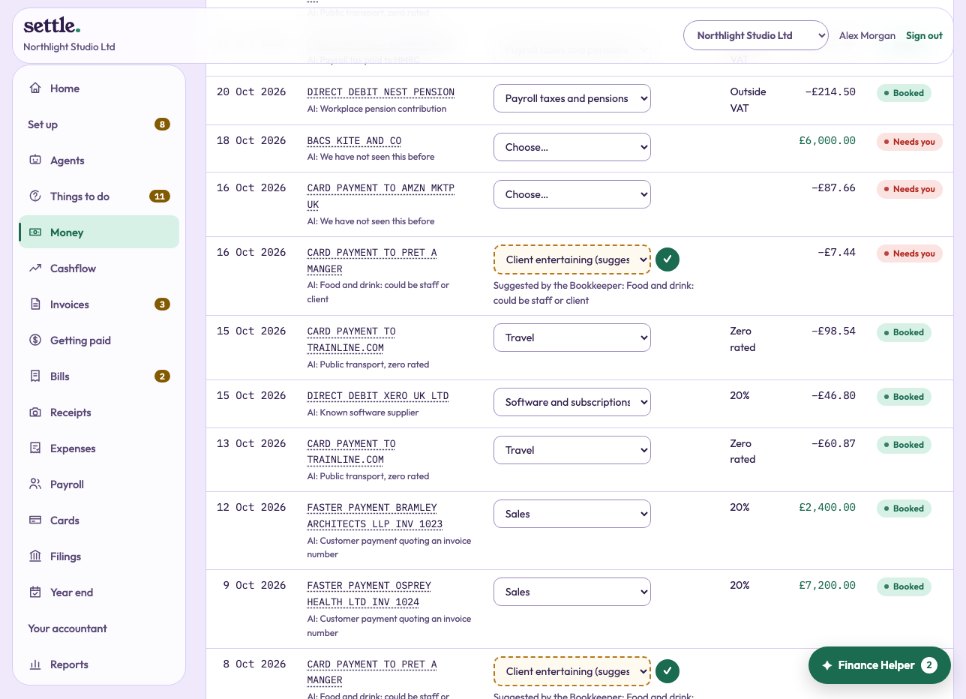
Each line’s category box can be changed by itself. A line waiting on you comes filled in with the Bookkeeper’s suggestion, outlined and marked “suggested”: press the tick to approve it, or choose something else.
A line you change goes to your accountant to check, so a slip is caught. Lines in a month that has been closed show Locked and cannot be changed.
A line’s details
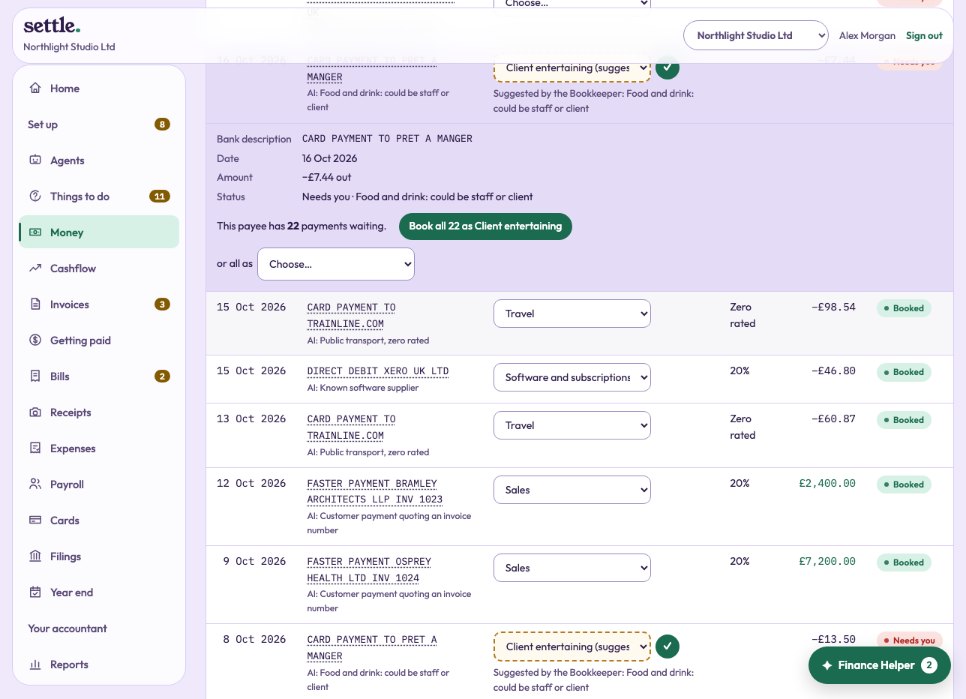
Click a line’s description to open it: the bank account, the bank’s reference, why it was coded, its VAT (which you can change), its history, and, for a payee with several payments waiting, booking them all at once.
Adding a statement
No bank feed? At the bottom of Money, add a CSV statement from your online banking. Lines already in the books are skipped, so overlapping statements are safe. Lines dated in a closed month are left out.
Still stuck? Ask in the Finance Helper inside the app, or contact your accountant.