Every day
The Bookkeeper
What it does on each run, how to watch it work, and how much it does by itself.
What it does
It reads the bank, codes each line with a reason, matches payments to invoices and bills, spots transfers between your own accounts, checks the books against the bank, flags likely duplicates and large payments, and prepares what only you can decide. It never books a guess, closes a month or files anything.
Watching it work
Press Run the Bookkeeper (in Money, on the Agents page or in the Finance Helper). A window ticks through each task with what it found, then shows where your lines are filed, and what is waiting for you.
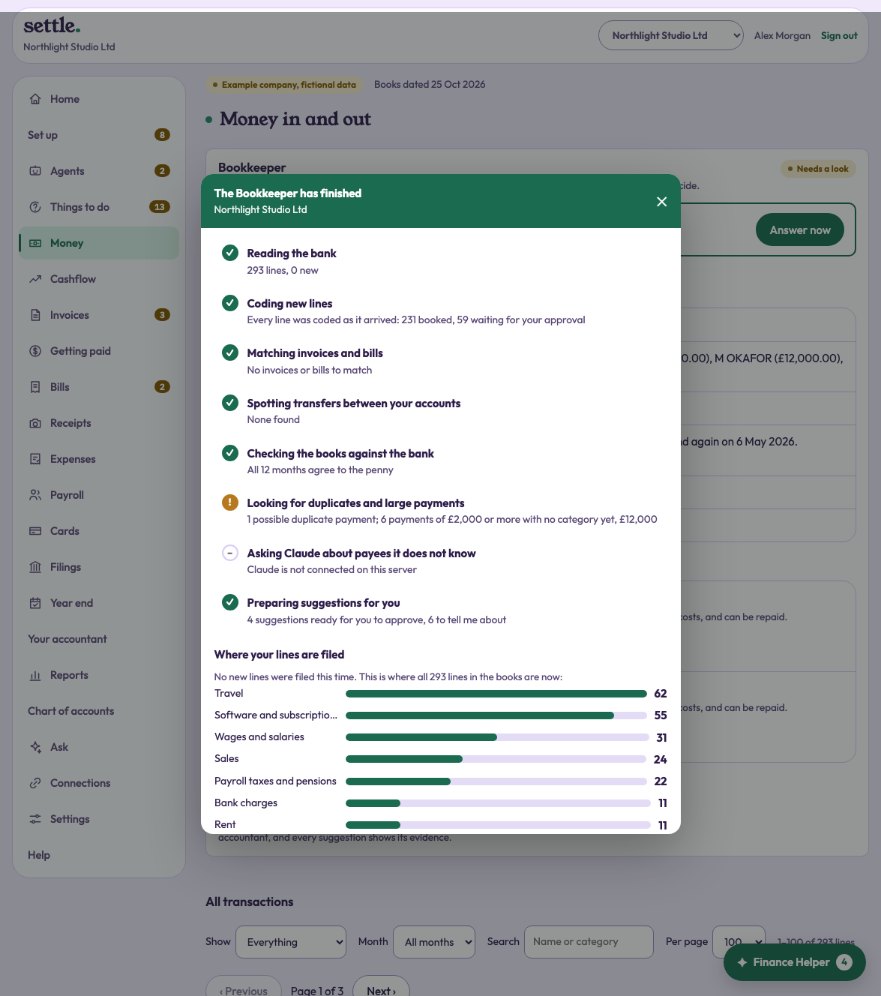
Where your lines went
When the run finishes, the window shows each category it filed lines into, with how many and the total, and anything it left for you: questions to answer, and suggestions to approve or change.
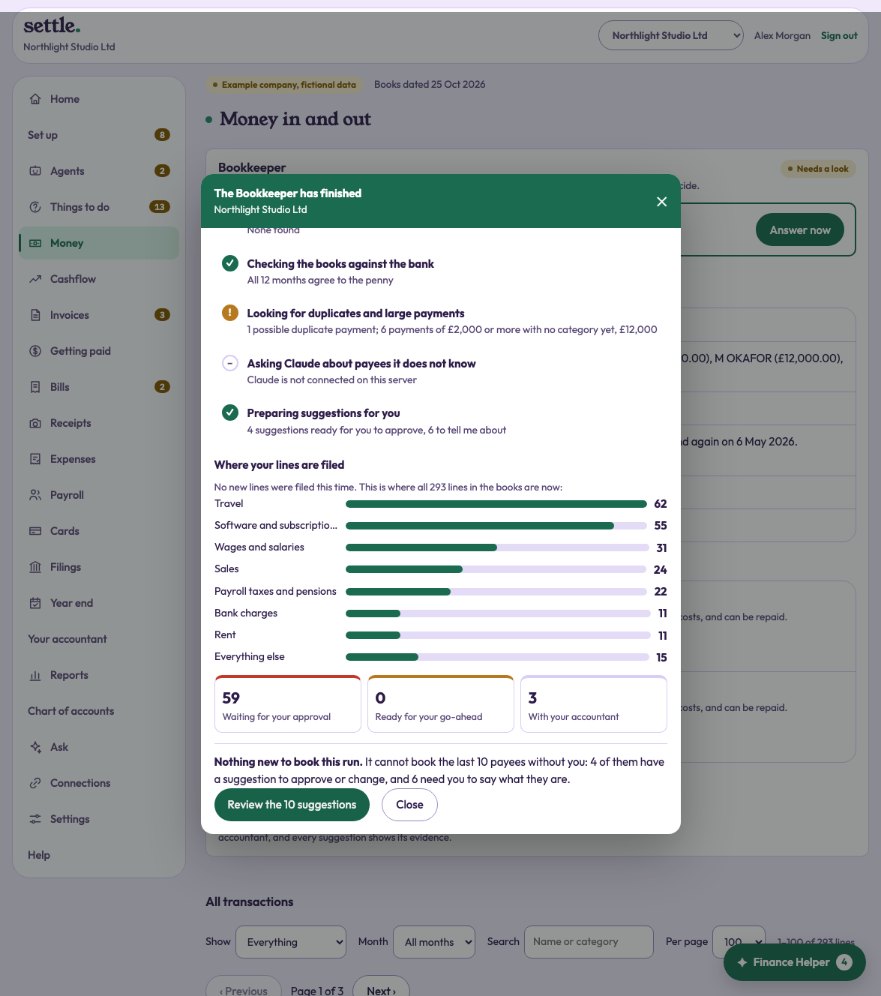
How much it does by itself
The leash, in the Bookkeeper panel at the top of Money: “Book confident lines by itself” (the usual), or “Ask first”, which keeps confident lines as Ready to book until you say so. Only lines it is very sure of, with nothing unusual about them, are ever booked by themselves.
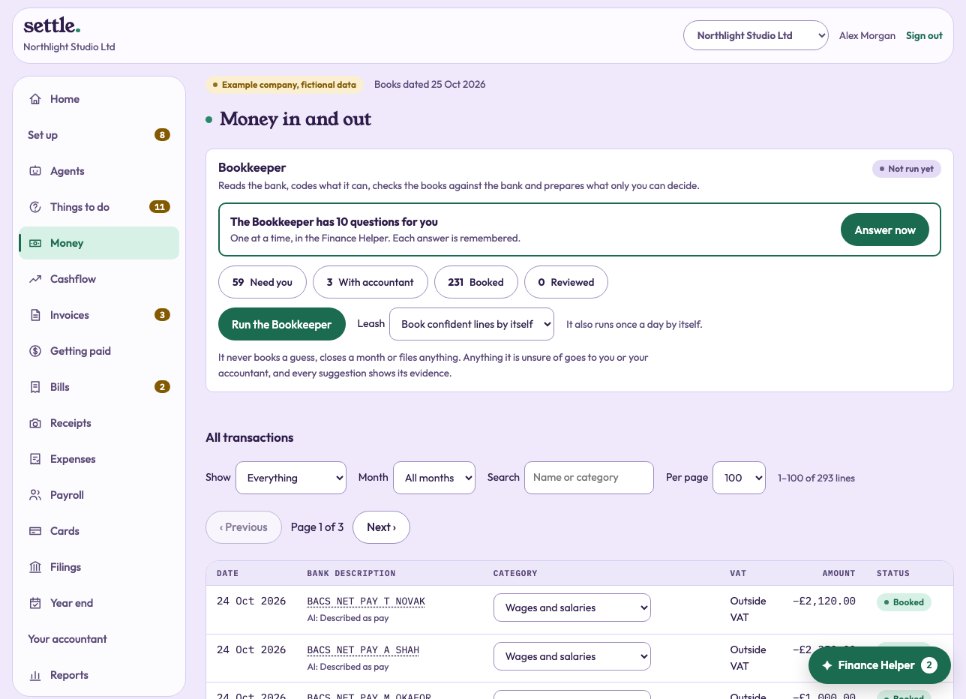
Suggestions it makes
Book a payee the way it has been booked before. Treat shop spending as personal. Book the lines it is confident about (when it is on Ask first). Where Claude is connected, it also suggests a category for each payee it does not know, with its reason, for you to approve.
It learns each client
Every answer you give becomes a rule, and every suggestion you approve or change is remembered for this company only, so its suggestions fit your business better over time.
Still stuck? Ask in the Finance Helper inside the app, or contact your accountant.