Money in
Invoices
Raise an invoice, send it, match the payment, and correct it with a credit note.
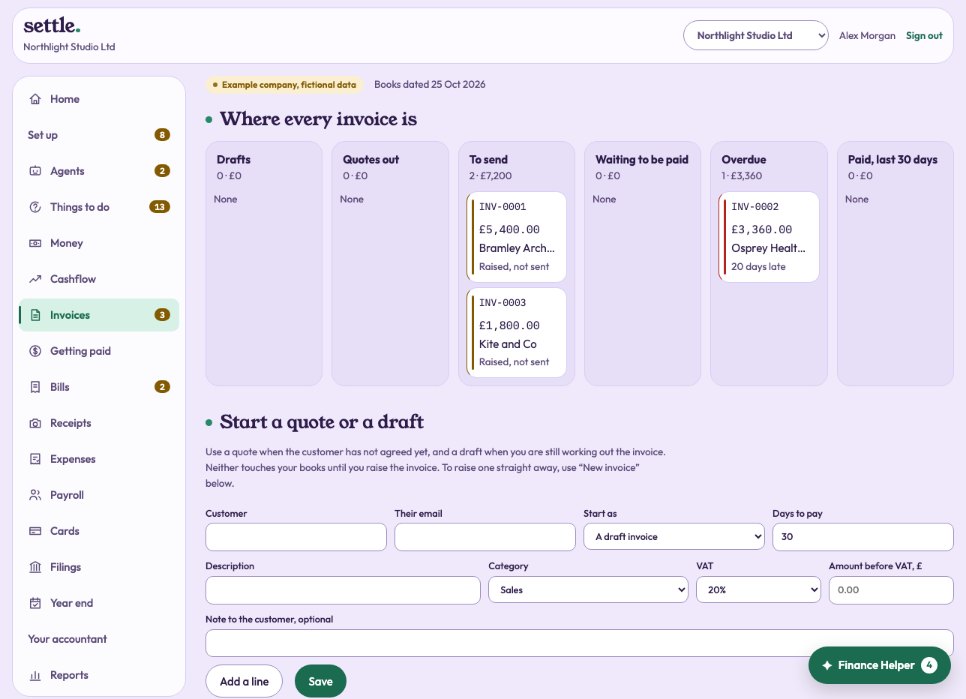
Where every invoice is
The board at the top shows every invoice by where it is: drafts, quotes out, to send, waiting to be paid, overdue, and paid in the last 30 days. The count on the menu is invoices to send plus those overdue.
Raising an invoice
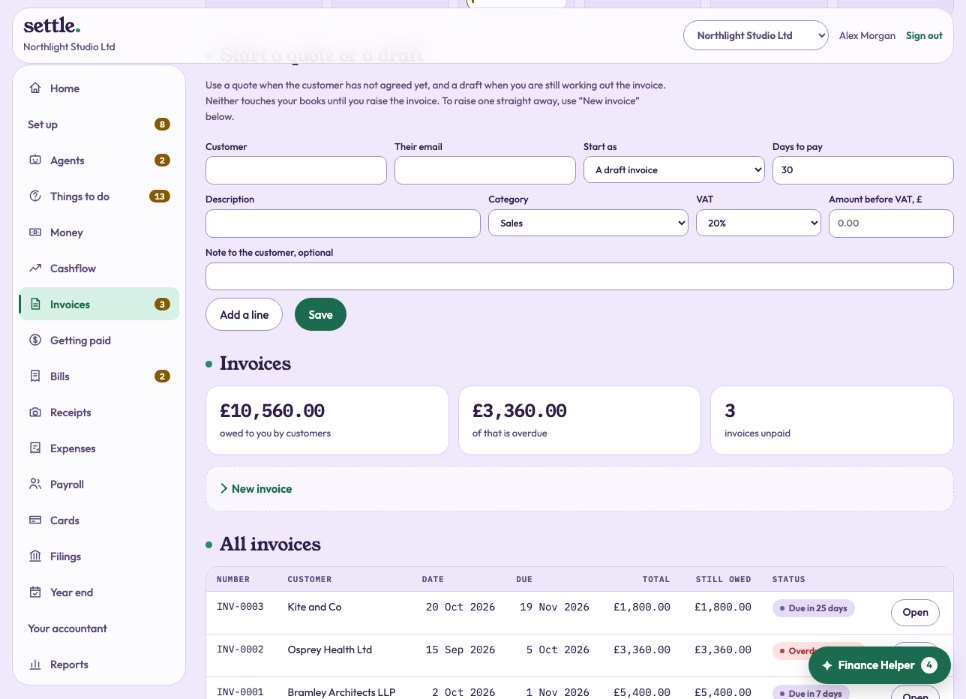
Under New invoice, give the customer (earlier customers are suggested, with their email), the date, when it is due (30 days unless you change it), and a line for each thing: what it was, the income category, the VAT and the amount before VAT. Press Raise invoice. It is numbered in sequence (INV-0001 and on) and goes into the books on its date.
An invoice’s page
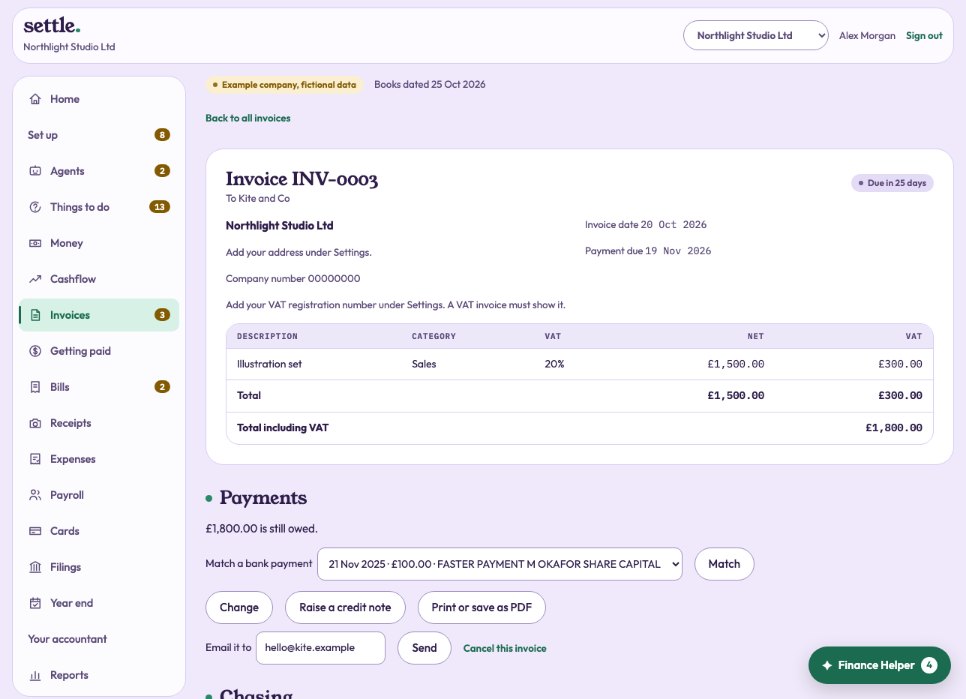
Open an invoice to see it as your customer will. Your address, company number and VAT number come from Settings (a VAT invoice must show the VAT number). From here: Print or save as PDF, Email it, Get a link for the customer, Send a reminder, and see What has happened: raised, emailed, opened, reminded and paid.
When it is paid
When the payment arrives in the bank it is matched to the invoice by itself; you can also choose the bank payment under Match a bank payment.
Changing or cancelling
Press Change while nothing has been paid or credited. After that, Raise a credit note instead (numbered CN-0001 and on, for no more than is still owed). Cancel this invoice works only while no payment or credit note is attached.
Still stuck? Ask in the Finance Helper inside the app, or contact your accountant.