Money out
Receipts and documents
Keep receipts and supplier invoices with the payment they belong to.
Adding a receipt
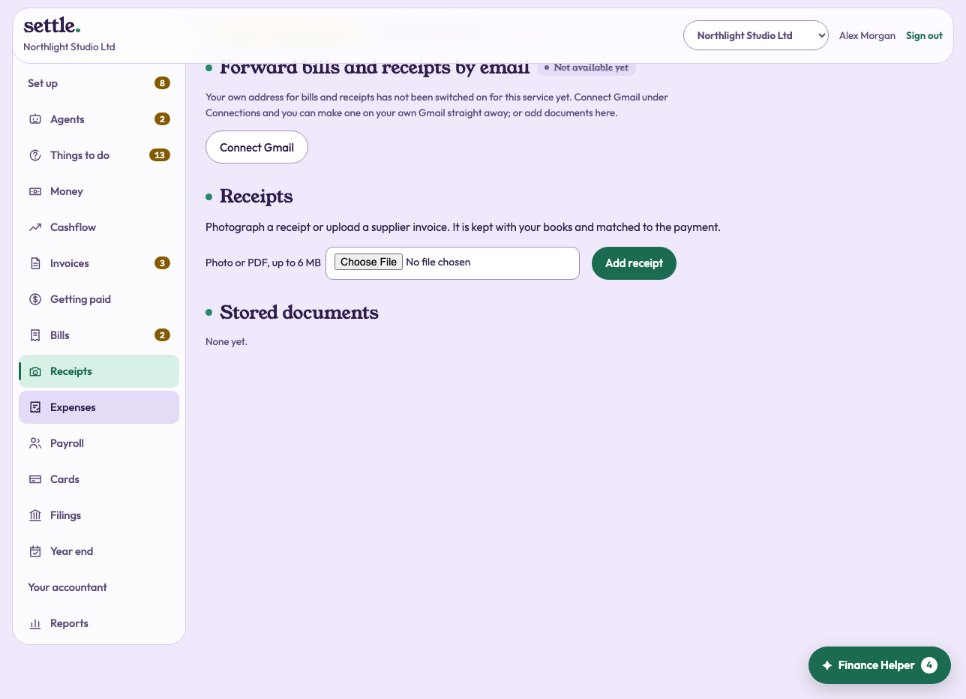
Under Receipts, choose a photo or PDF (up to 6 MB) and press Add receipt. Where Claude is connected, it is read for you: supplier, date, total, VAT and a suggested category. Reading can be wrong, so check it.
Matching it
Bank payments for the same amount within ten days are offered as buttons: press one to attach the receipt. Or press Enter as a bill to pay. Documents from your inbox that are not bills can be marked Not a bill.
By email
Make your own forwarding address at the top of Receipts and forward bills and receipts to it; see Your forwarding address.
Why it matters
A receipt is your evidence for the VAT you reclaim and for the cost itself. Your spending policy can require one above an amount.
Still stuck? Ask in the Finance Helper inside the app, or contact your accountant.