Start here
Getting started
Create your account, add your company, and what to do in your first ten minutes.
Create your account
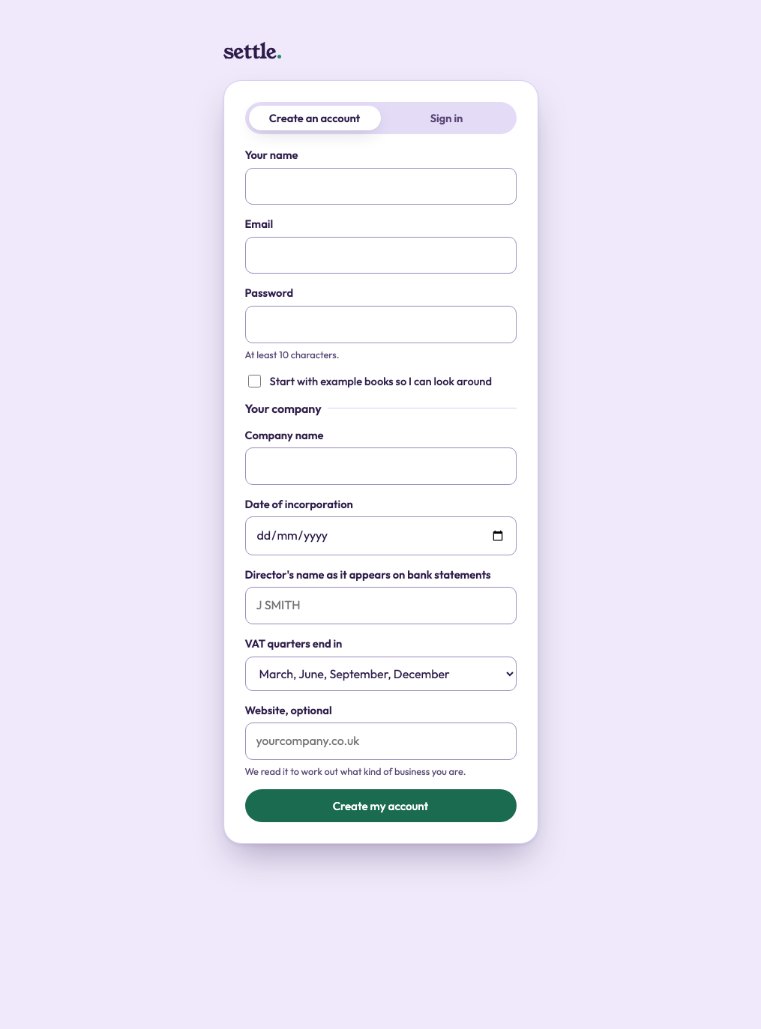
Press Get started on the website. Sign in with Google, or give your name, your email and a password of at least ten characters.
Then your company: its name (where the Companies House lookup is switched on, type a few letters and choose it, which also brings in its official dates), the date it was incorporated, a director’s name as it appears on bank statements, which months your VAT quarters end in (or not VAT registered), and your website if you have one. Press Create my account.
Your first ten minutes
You land on Home. Until your books are set up it starts with Finish setting up your books, showing how far along you are. Press Continue setting up and work through the steps: most take a minute.
Then add your bank. The Bookkeeper sorts the transactions, and asks you about anything it cannot be sure of.
Who does what
Evenly keeps the books day to day. Your named accountant checks what it could not be sure of, closes each month, and signs your returns. You approve anything that is filed. No agent ever closes a month, signs a return, approves a payment or files anything.
Still stuck? Ask in the Finance Helper inside the app, or contact your accountant.